
Apache Iceberg Writes with DuckDB (or not)
Well, all the bottom feeders (Iceberg and DuckDB users) are howling at the moon and dancing around a bonfire at midnight trying to cast their evil spells on the rest of us. Apache Iceberg writes with DuckDB? Better late than never I suppose.
Your witchy ways won’t work on me.
Not going to lie, Iceberg writes with MotherDuck is an interesting concept. MotherDuck is lit and Iceberg only puts a little ice on the fire.
Many other tools like Polars or Daft have been offering Iceberg writes for ages now, it’s about time DuckDB preened its feathers and added write support. Up until now the DuckDB Iceberg Extension has all about the read. But, that is pretty much good for HelloWorld() crap pumped and dumped on Redditors.
We need write support in the real production world. Oh, and not on some Iceberg table stored on your laptop you ninny.
Testing DuckDB Apache Iceberg Writes
Mostly because I want to make Iceberg and DuckDB fans curl their toes, I’m going to test this using the Databricks platform, because why not? You ain’t the boss of me. Deal with it.
Unknown probably to most Iceberg acolytes because of their strong disposition against Databricks/Delta Lake … Databricks is a show of “love thy enemy” has full support for a REST Iceberg Catalog URL that can be used instead of fly by night stuff like Polaris, blah, blah, blah.
I also have about 50GB of CSV files from the BackBlaze open source harddrive dataset. This is what we will use as the data to go ahead and see if we can write to an Iceberg table from DuckDB.
Now, I am curious about how these details will work out. Of course, DuckDB did post an example, but it’s mighty confusing on the first look. They could have attempted to make it less of a mess.

At least for someone like me who doesn’t use DuckDB on a daily basis. What is going on here? This is what I see …
- load duckdb-iceberg extension
- attach to the Iceberg catalog
- make sure you got your secrets set
- ????
- It looks like the are creating a DuckDB database in that example, attaching to it, then using the previously attached iceberg database, and creating an Iceberg table from scratch using the DuckDB table.
What the crap? I honestly thing this is a long way about it, although maybe I get it, trying to show a from scratch Apache Iceberg table create from DuckDB (that of course includes copying the data. Just seems like they could have said …. CREATE TABLE {iceberg}, and then INSERT INTO {iceberg} from {some_data}. It’s probably just me, but when show a HelloWorld() for something new, like writing to Apache Iceberg … it might be nice to have INSERT INTO example for crying out loud.
Anywho, I digress. Let’s see if we can do what they did about, and I also want to try INSERT INTO as well.

Oh boy, after writing all that I don’t feel like doing much else besides taking a nap. But, it did work by the Hammer of Thor. When I get into the Databricks UI I can see my confessions.main.diddums table and it’s marked as Managed Iceberg.

Well, any data in that there thingymabob?
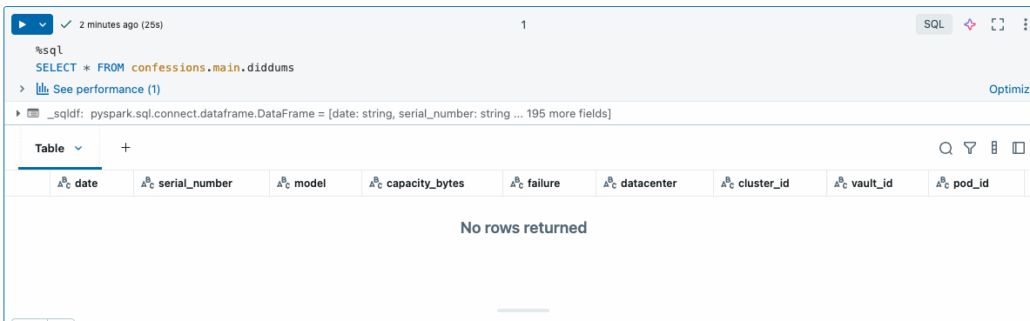
Bugger all, ain’t a record in sight. Stinkers. I didn’t get any errors either, just an empty table. Well, a little playing around shows me I have an empty DataFrame bother it all. That’s what I get for touching that Pandas, killer of all things good and true.
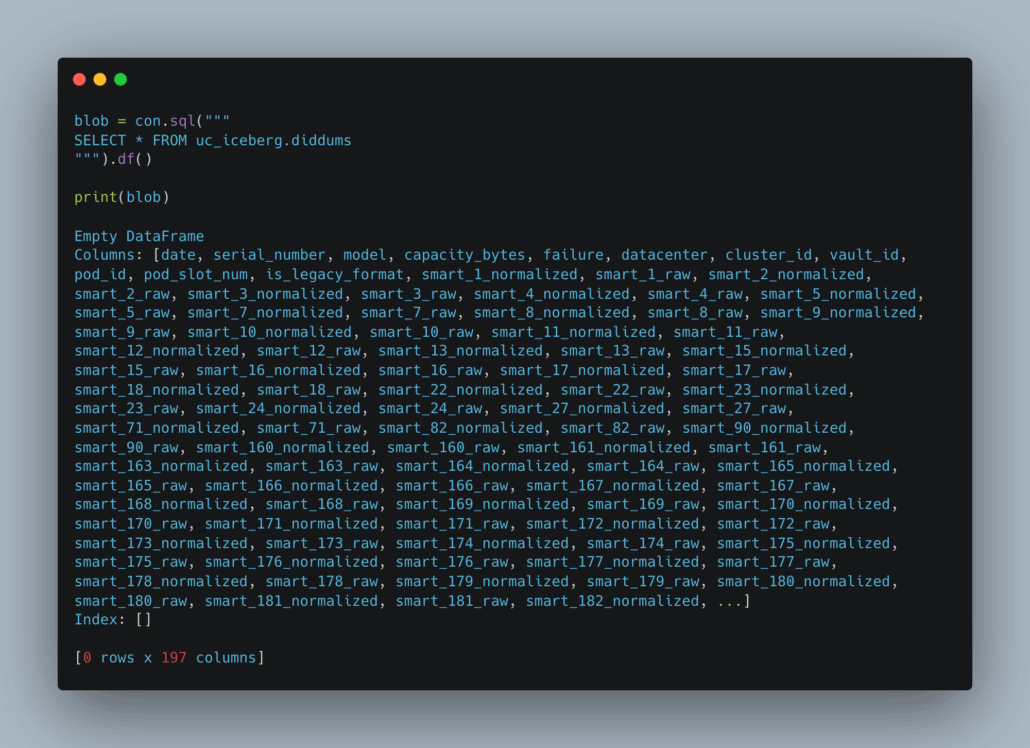
After changing a few lines to make my code suck slightly less, I did get data into the dataframe at least. Kicked that nasty ole’ Pandas to the curb in favor of DuckDB.

Basically this doesn’t work either, and we get a new error.
Traceback (most recent call last):
File “/Users/danielbeach/code/duckOnice/hello.py”, line 54, in <module>
con.sql(“””
_duckdb.TransactionException: TransactionContext Error: Failed to commit: Failed to commit Iceberg transaction: Request returned HTTP 500 for HTTP POST to ‘https://dbc-9a64f31c-25b9.cloud.databricks.com/api/2.1/unity-catalog/iceberg-rest/v1/catalogs/confessions/namespaces/main/tables/didles’
And this kept happening no matter what I tried. DuckDB would create the Iceberg table, but it would fail trying to put the actual data into the table, which seems strange. It has the power to create the remote Iceberg table, it looks fine, but it just won’t insert the any records into it.
Obscure 500 error. Yes, the permissions are all set.
Well, if the COPY don’t wanna work, let’s try the good ole’ INSERT INTO. I mean it created that empty Iceberg table, let’s see if we can’t get something into it.
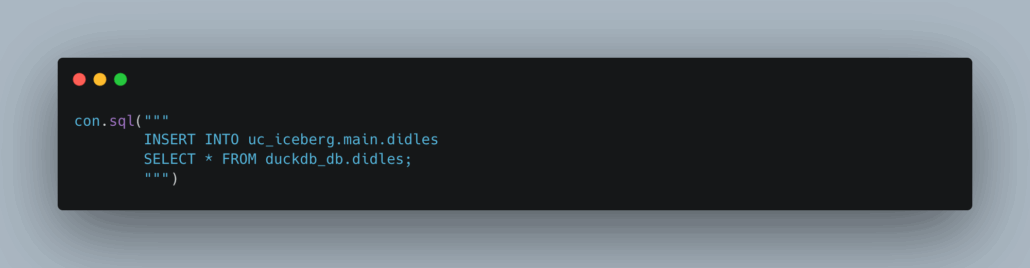
You guessed it, same error.
Traceback (most recent call last):
File “/Users/danielbeach/code/duckOnice/hello.py”, line 54, in <module>
con.sql(“””
_duckdb.TransactionException: TransactionContext Error: Failed to commit: Failed to commit Iceberg transaction: Request returned HTTP 500 for HTTP POST to ‘https://dbc-9a64f31c-25b9.cloud.databricks.com/api/2.1/unity-catalog/iceberg-rest/v1/catalogs/confessions/namespaces/main/tables/didles’
I guess DuckDB writes to Apache Iceberg only work with local HelloWorld() examples. What good does that do me? I need something that works in real life.
I guess it could be my code, but the fact that DuckDB went about creating the Iceberg table via the attached Catalog all fine and dandy, then blows up and won’t commit a transaction … I don’t know? 500 Error tells me nothing.
Look, I’m just trying stuff out that is supposed to work. Don’t be mad at me.

