
Migrate (hundreds) Delta Lake Partitioned Tables to Liquid Clustering
Recently, I had to migrate a few hundred Delta Lake tables that were partitioned over to Liquid Clustering. It seems straightforward on the surface, but everything usually does, until it isn’t. There was no rocket science involved here, but I did want to write this up to help the myriad of others who will probably want/need to move from partitioning to liquid clustering over the next few years.
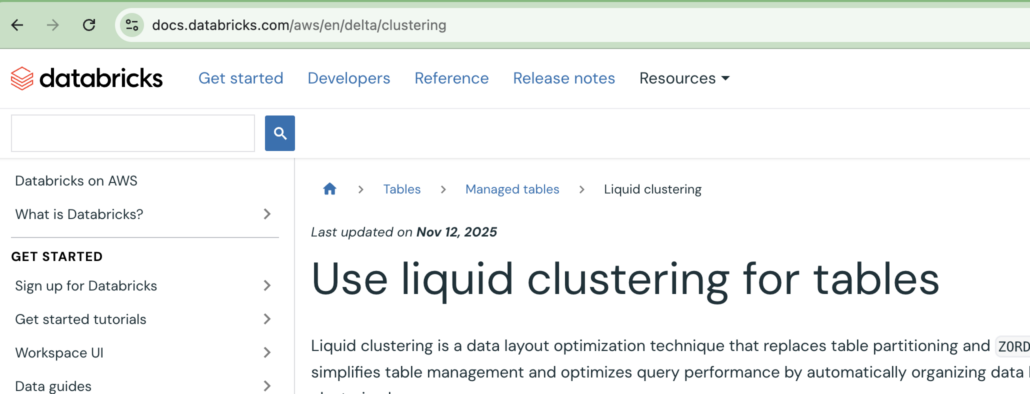
Databricks recommends liquid clustering for all new Delta Lake tables. Based on past testing, liquid clustering indeed offers significant performance gains.
Again, the difference between a partitioned table and a liquid clustered table, in terms of DDL, is not very much, as you can see.
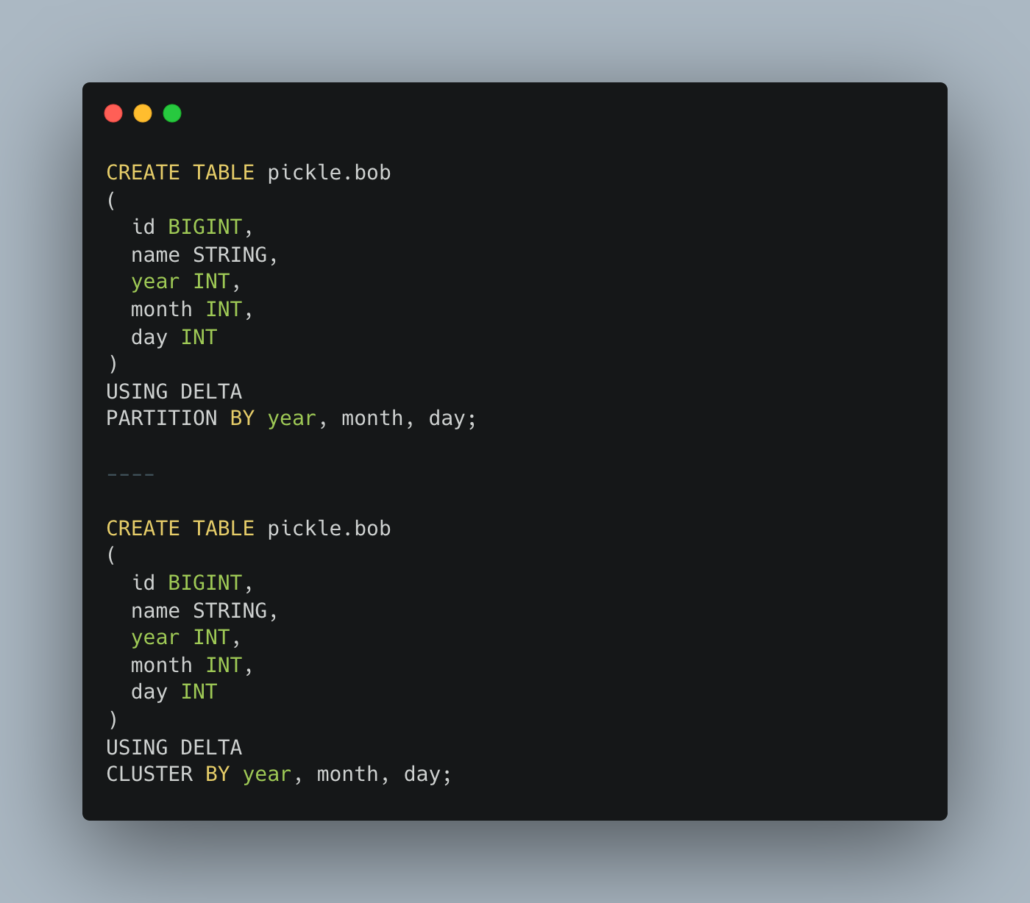
So, on the surface, it seems like a simple change, and it is, but there are a number of edges you should be aware of.
- For Delta Lake tables, Liquid Clustering GA support is available with Databricks Runtime 15.2
- Clustering is not compatible with partitioning or
ZORDER - Delta tables with liquid clustering enabled use Delta writer version 7 and reader version 3. Delta clients that don’t support these protocols cannot read these tables
- You can specify up to four clustering keys.
- Clustering keys must be columns that have statistics collected
- By default, the first 32 columns in a Delta table have statistics collected
- In Databricks Runtime 15.4 LTS and above, you can enable automatic liquid clustering
Of course, the list could go on forever, but you should pay attention to these details. Why? Well, what if you have some maintenance running during off hours, doing something like an OPTIMIZE with the ZORDER command on tables … you migrate a table to liquid clustering … and poof, your process will break, ZORDER does not work on liquid clustered tables.
What if you have a table somewhere that you are running OPTIMIZE year IN (…) on, aka you are partition-pruning your OPTIMIZE statements? It will break. You can’t do that with liquid clustering (yes, I might have learned that the hard way).
The point is, no “small change” is actually small, there are lots of bumps and corners you can trip on.
In case you are wondering, no, you can’t simply ALTER TABLE on a partitioned table to make it Liquid Clustered. You wish.
Migrating tables from partitions to liquid clustering
So, what steps did I take to migrate hundreds of tables from partitions to liquid clustering? I will list them below, though they will change for everyone depending on your implementation details.
- Set up some sample Liquid Clustered tables and TEST your table maintenance pipelines and daily data pipelines
- Look for the need to remove ZORDER from OPTIMIZE statements, even partition pruning for OPTIMIZE as well
- ensure performance doesn’t degrade on pipelines for some reason
- Test your Delta Lake table backup processes
- For example, if you are doing a DEEP CLONE automatically of Delta Tables, this will break when you change to liquid clustering (you can’t DEEP CLONE a liquid clustered table over a partitioned one.
- Backup your partitioned tables prior to changes
- Prep your DDL changes for the partitioning to clustering
- Your clustering columns have to be in the first 32 columns (for stats), or you must change that default.
- This will complicate the data migration process.
- Your clustering columns have to be in the first 32 columns (for stats), or you must change that default.
- Write a Spark script that can be run on multiple tables and is a repeatable process
Here is that process, generally speaking …
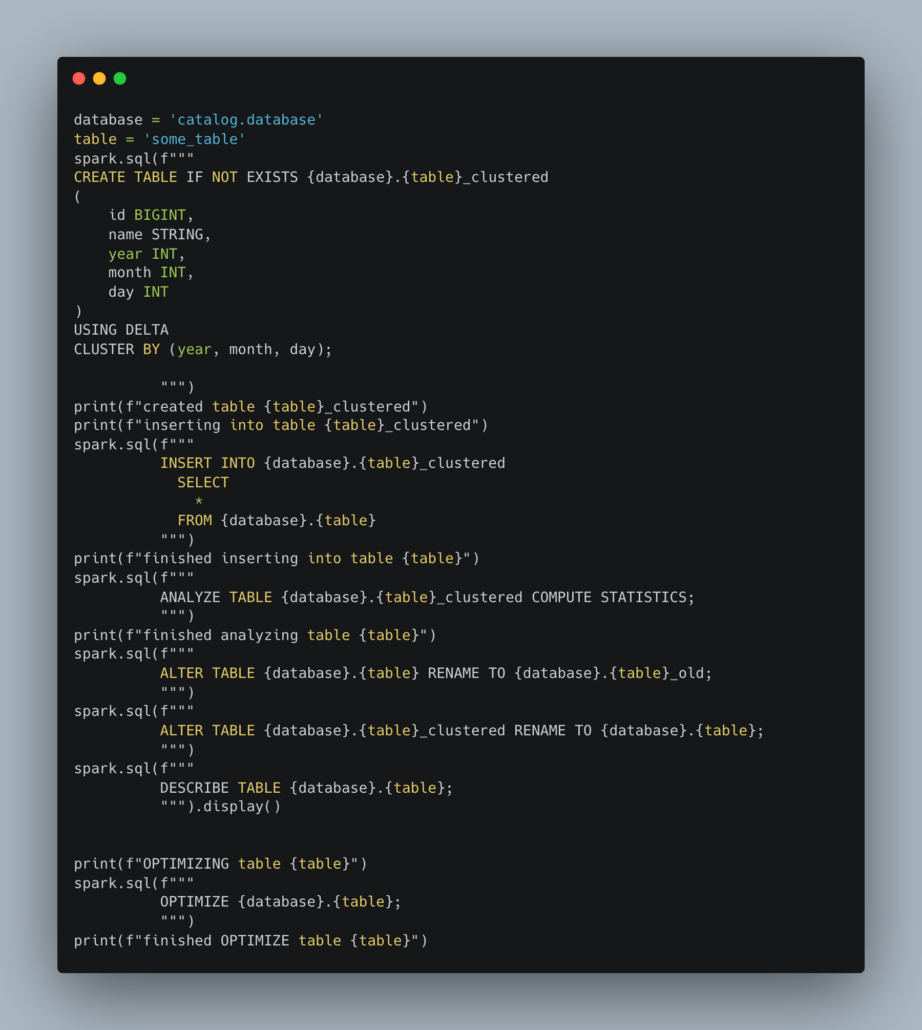
This code glosses over a lot of details, some of which are tricky, but you get the idea.
- Have a list of tables or describe a database, and get the list
- Loop through the list
- Load up your changed DDL
- Note if the prior partitioned columns are after the first 32, either move them up to the top, or change the default
- Create the new _clustered table
- INSERT current data from the partitioned table into the new _clustered table
- remember if you changed the column order, you can’t just SELECT * from old
- Do the table rename so your liquid clustered is now your main table
- Run OPTIMIZE or OPTIMIZE FULL to get the data clustered
And don’t forget to clean up your _old tables. Oh, and of course, there are more nuances. OPTIMIZE commands cannot include ZORDER or IN filtering for partition or clustering columns. Any running DEEP CLONE statements won’t work, so those backup tables will have to be dropped, etc.
Anywho, my point is that migrating from partitioned tables to liquid clustering in Databricks isn’t the end of the world; it might just take more planning than you think. Every platform is different, and it highly depends on a number of factors.
- How you manage your DDL for Delta Tables
- How many columns do they have (for stats)
- How large are the tables? (INSERT: going to take forever because of large amounts of data?)
- What kind of table maintenance are you doing? needs to be updated
- Possible table backups need to be redone
Such is the hard scrabble life of a Data Engineer, ever doomed to wander the lonely digital roads of migrations, forced on us by our ever-benevolent SaaS overlords. Best of luck, friend.

